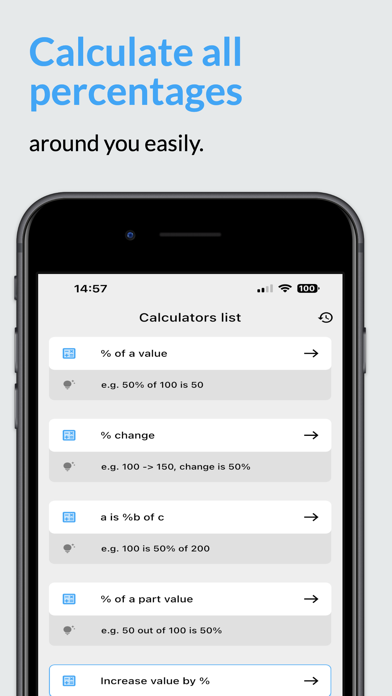
Start with the basics
Free download
Use the four core modes for everyday percentage calculations. Ads are shown in the free version.
Get the free appFour free calculators.
More with Premium.
Calculate percentages, compare a price change or find a missing total on your phone. Start with four free calculators. Unlock the other tools and remove ads with Premium.
Free download · Optional monthly or lifetime Premium
Compare Free & PremiumFour core calculators are free with ads.
Premium gives you every calculator and removes ads.
| In the mobile app | FreeThe four core modes | PremiumAll calculators, no ads |
|---|---|---|
| % of valueWhat is 20% of 150? | Included | Included |
| % changeFind the percentage increase or decrease | Included | Included |
| Find the wholeThe app’s “a is %b of c” mode | Included | Included |
| Part of a totalThe app’s “% of a part value” mode | Included | Included |
| Other calculator modesDiscounts, reverse percentages, fractions, interest and more | Premium required | All included |
| Advertising | With ads | No ads |
| Payment | Free to use | Monthly plan or lifetime purchase |
Try the same four free modes on this website.
Explore the online calculatorsIllustrative calculation using the free % of value mode.
Choose % of value to calculate percentage amounts for a tip, commission or a known tax rate. Use % change to compare two values.
For 20% of 150, enter 20 as the percentage and 150 as the value. Read the formula to check how the result was calculated.
The answer is 30. Tap the app’s result control to copy the answer and save it to calculation history.
See which functions are free and which require Premium. Open a calculator’s page for its formula and examples.
Calculate a percentage of a number, such as 20% of 150, or a tip amount at a known rate.
Find the percentage increase or decrease between an original amount and a new amount.
Recover the total when you know a part and the percentage it represents: a is %b of c.
Find what percent one number is of another, for scores, budget shares or progress toward a target.
Work with percentage discounts, the amount saved and the price left to pay.
Work backwards to an original amount before a known percentage increase or decrease.
Calculate compound interest from a starting amount, an interest rate and a period of time.
Enter an amount, interest rate and term in years to see the monthly repayment and total.
Apply a known percentage increase or decrease to a starting value to find the new amount.
Convert a fraction to its equivalent percentage. For example, 3/8 equals 37.5%.
Convert a percent to a decimal for use in a calculation: 12.5% becomes 0.125.
Compare two rates in percentage points, keeping the result distinct from relative percent change.
Work with interest rate calculations. Check the time period and calculation type shown in this mode.
Official iOS screenshots from the App Store. The Android interface may differ.
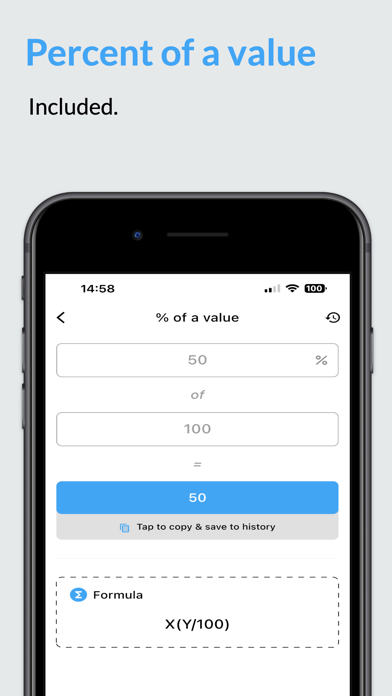
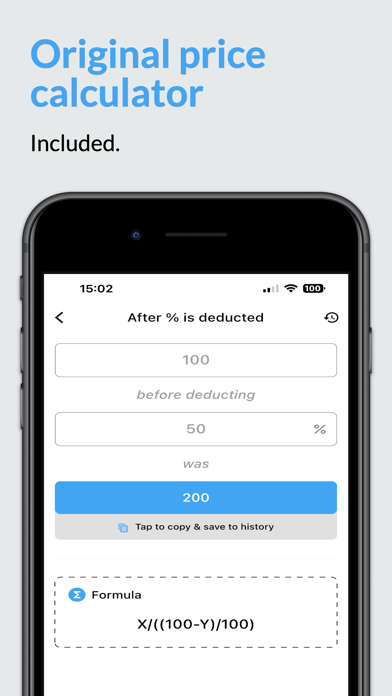
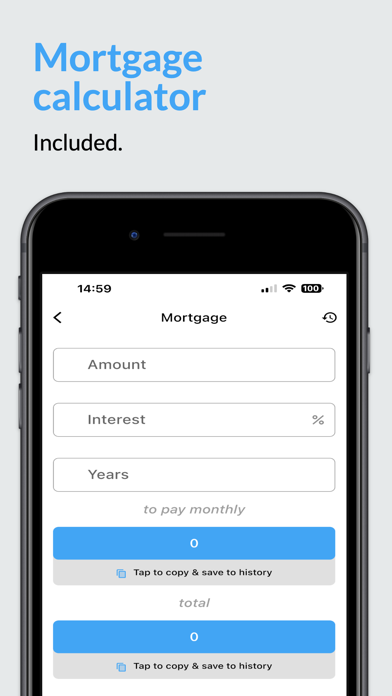
Screenshots show the interface and available functions. The Free/Premium labels on this page describe access; “Included” in the store images does not mean every function is free.
Monthly and lifetime Premium both unlock all calculators and remove ads.
Free download
Use the four core modes for everyday percentage calculations. Ads are shown in the free version.
Get the free appMonthly plan
Unlock all calculators and remove ads with a monthly Premium plan.
Explore Premium in the appOne-time purchase
Unlock all calculators and remove ads with the lifetime Premium purchase.
Get the appCurrent prices, available purchases and billing terms are shown in your app store and in the app. They can vary by store and region. Review the purchase details before confirming.
Yes. The app is free to download. Four modes are free to use with ads: % of value, % change, “a is %b of c” (find the whole), and % of a part value. The other calculator modes require Premium.
Free includes the four core percentage calculators and shows ads. Premium unlocks every calculator in the app and removes ads. Monthly and lifetime purchase options are available; both provide access to the Premium calculators.
The app is available on the App Store for iPhone and iPad, and on Google Play for Android. Open the relevant store listing to check compatibility with your device.
Yes. The same four calculation types are available as free online tools on this website, with no sign-up. Choose an online calculator to get started.
The Premium feature pages explain the calculations and show preset examples. To enter your own values in those modes, download the app and unlock Premium.
Check the purchase options shown in the app and your app store. Prices and available plans can vary by region and platform. Confirm the selected plan and billing terms before buying.
Read the app privacy policy and terms, plus the privacy or Data safety information in your store listing. The website’s statement that calculation inputs stay in your browser applies to its online tools.
Download for iPhone, iPad or Android.
Four calculators are free with ads; the other modes require Premium.
iPhone & iPad · Android